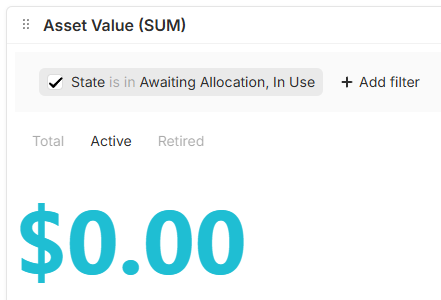
I would like to set up a dashboard for each person in our organisation, so adding this context filter option inside the reports (like everywhere else) would be appreciated.
Also, making “global” report filters unable to be turned-off by users, to prevent them from a) accessing data that they shouldn’t, and b) prevent them from messing with the reports.
How? Doesn’t seem possible without using the smart folders, and here’s the thing—I don’t want to make User the root entity in a smart folder; it just gets too messy, and looks terrible.
Not unless I want to be making a separate widget for each of my charts or metrics. Each of the tabs is using a different filter over the same dataset. I don’t want users to go in and turn them off because it’ll throw out all the reports since, knowing my users, they won’t turn them back on.
Where were you thinking the dashboards would live?
Just checking I understand - you want a dashboard context filtered per user, and the dashboard will contain multiple report view widgets.
Or did I miss something?
You mention tabs though, so I’m confused. But yes, it’s true that you can’t have multiple source filters (one per tab) within the same report.
I was hoping it could be an extension of the Home tab, or if there could be a single “flat” page per user account at the root of the default workspace (i.e., you specify a context for the dashboard based on the logged-in user, not based on the filter applied to a smart folder)
It was a deliberate decision that the Home page was something that could be personalised by each user, so unfortunately, it’s not possible for Admins to force a view on other users.
I think the closest you can come to that is a smart folder of Users with the filter ‘is Me’ (so that everyone sees only one item - themself).
Did you consider just using a formula in the calculation of each metric, instead of using a filter?