Habit Tracker into my all-in-one Fibery setup

Hello everyone,

I’m building my work and personal spaces in Fibery: project management, time trackings, OKR Goals, habit tracker etc.

At this moment I have defined my project manager, time trackings and OKR Goals setups pretty easy with a minimalism perspective. But after a deeper reflection of my tools, new needs emerged as habit tracker did. Now I’m investigating how I could implement habit tracker into Fibery.

I thought 2 main topics are possible:

  • Date entities → create a new entity for each day I’m tracking habits.
    • Example: creating a new tracking entity should be something like this (every bullet point represents a field/column of the database)

      • Name: 2025-12-29
      • Habit 1: 1 (done)
      • Habit 2: 0 (not done)
      • Habit 3: 1 (done)
  • Two-databases setup → this setup is more complex because it will need the “habit database” that contains all habits I need to track and the second one, the “tracking database” where appears days connected to habit database
  • Example: creating a new tracking entity should be something like this (every bullet point represents a field/column of the database)

    • Name: 2025-12-29
    • Relation to Habit database:
      • Habit 1 (entity 1): 1 (done)
      • Habit 2 (entity 2): 0 (not done)
      • Habit 3 (entity 1): 1 (done)

From the scalability perspective I think the second way could be more scalable and it allows better reports but the first one is the easier way that everyone tends to use in other app workspace as Notion, coda, etc. but I’m not very interested on due to the “low connections” options. Even the second way probably lets me connect the habits to my goals.

Probably, there are more options out there that I have not considered so I want to ask you, what could be a better approach of this problem? I’m trying to create a balance between minimalism and complexity because I want to create a minimalist workspace that fits all my actual needs and the future ones (scalability).

My actual setup is the following one:
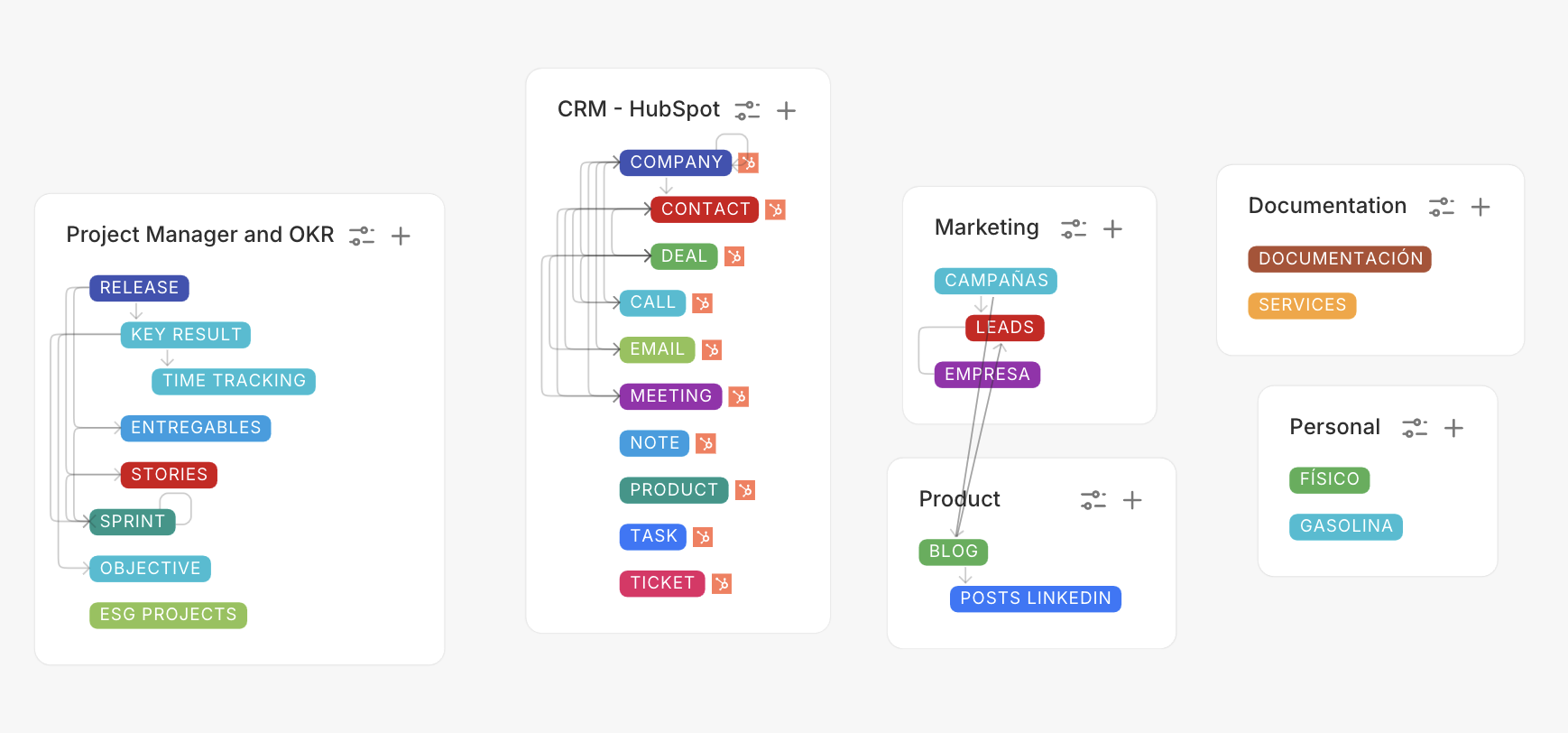
Are all habits you are tracking “Daily” habits? Should be done every day? Or do you need weekly habits, monthly habits, etc?

Mainly, they will be daily but weekly and monthly habits will be there too.

Thanks for your response! :slight_smile:

I’m working on a “Repeating Events” template. It sounds like this could benefit from that.

It uses your second approach (plus 1 more database).

So let’s imagine that we only have daily habits (much easier to set up)

Then you have three databases: Habit, Day, and Habit Log.

Habit and Day database both need a field for “True”. A formula Field that always returns true.

Habits and Days are related many to many, auto-linked based on the true field.

Also relate Habit Log to one Habit and to one Day.

Then on the Day database, make an automation that triggers every time a new Habit entity is linked. Filter for the Day entity where it’s after or on today. And the action should create a new Habit Log with the Linked Step 1 Habit.

Now every time you make a new habit, it will automatically create a habit per day, and on the Habit Logs, you can have a checkbox to mark if it was done or not.

Note that what I’m working on is for repeating events or tasks, which sometimes repeat and sometimes don’t, so I’m working on a way to do it with just two databases instead of three. But the concept is similar. In this case I think three databases make more sense since it also gives you a clean list of habits, and you can run analytics/formulas on the habits like a streak, % done last 30 days, etc.

To add weekly or monthly, it gets a lot more complex. I’ll make a video on it when it’s ready. It involves this: Auto-linking via a to-many relation [workaround]

And making lots of “or” conditions. And custom codes for weekly and monthly on both the day. This then changes the auto-linking, which changes the frequency of the “Habit Log” that is created.

This isn’t a simple set up, but I think it’s the most robust, and how I’d go around it. There are probably simpler ways, but those don’t perserve history and allow for as much analytics.

Feel free to reach out if you need a hand!

Also, if you don’t want to input the days by hand, you can use this integration I made that makes the days for you: Better Dates in Fibery. Dates as Databases