You may think that last release of the year should be somewhat significant. Unfortunately, this is not the last release of the year. Anyway, I hope you will find something to enjoy during the cold (or warm) pre-Christmas week  .
.
 Fibery iOS and Android apps
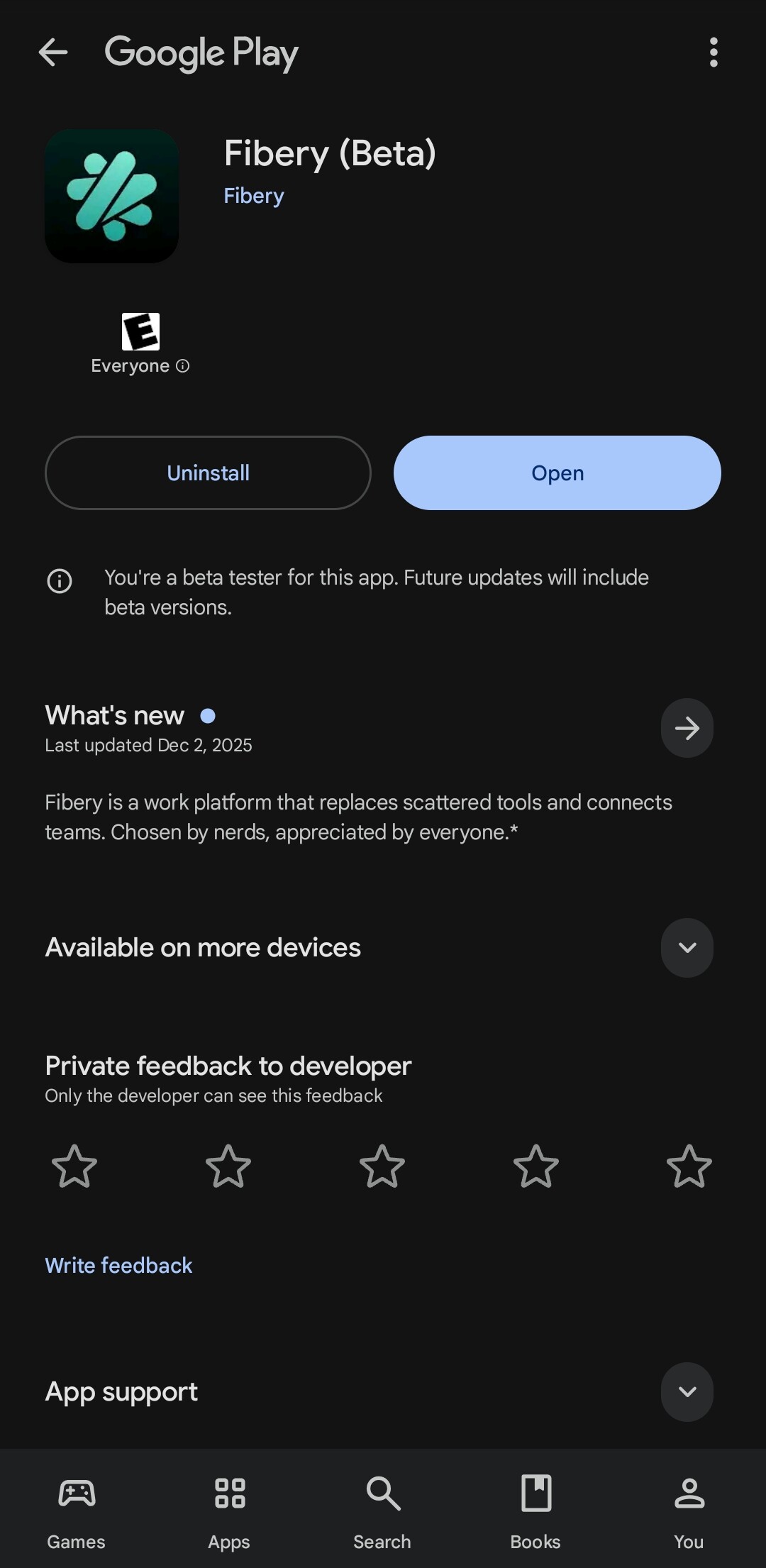
The Fibery mobile app is now available for iOS and Android.

It helps you stay connected to your work when you’re away from your desk:
- Get important notifications and act on them quickly
- Find things fast with simple search
- Capture ideas on the go
- Use AI to get insights and make quick decisions
- Enjoy a clean, mobile-friendly interface designed for smaller screens
Fibery Mobile isn’t about doing everything. It’s about staying informed, looking things up, and moving work forward wherever you are. You can configure databases and views on mobile — but most people won’t want to (setup is way better on desktop, with a bigger screen and time to think).
This is just the start and we’ll keep improving the app based on your feedback.
Download Fibery app from App store or Google play  .
.
 Custom Database access (experimental)
People keep deleting stuff they only need to edit. Someone consistently (and accidentally) edits meeting notes they should only comment on. Sounds familiar?
Now you can share a Database using your custom access template to prevent such accidents. For example:
- Can view all entities and create new ones but not edit everything.
- Can view and edit all entities but not create new ones.
- Can edit but not delete all entities.

The configuration of Database access templates is pretty similar to Entity access templates (used to share individual entities, not entire Databases):
- Come up with a name (the hardest part, we know)
- Configure a set of capabilities (e.g., view + edit all entities) → Specify which Databases the template should be available for (all by default)
As soon as Admin adds an access template, it appears in the dropdown and Database Architects are able to use it for sharing. This is a part of our strategy of providing powerful tools for people who can handle them in order to simplify workspace for everyone else.
Enable the functionality in Experimental Lab before creating a custom template in Settings → Database Access Templates. “Experimental” doesn’t mean someone might get the wrong access — it means the template management UI is just a prototype at this stage. A more polished version comes next:
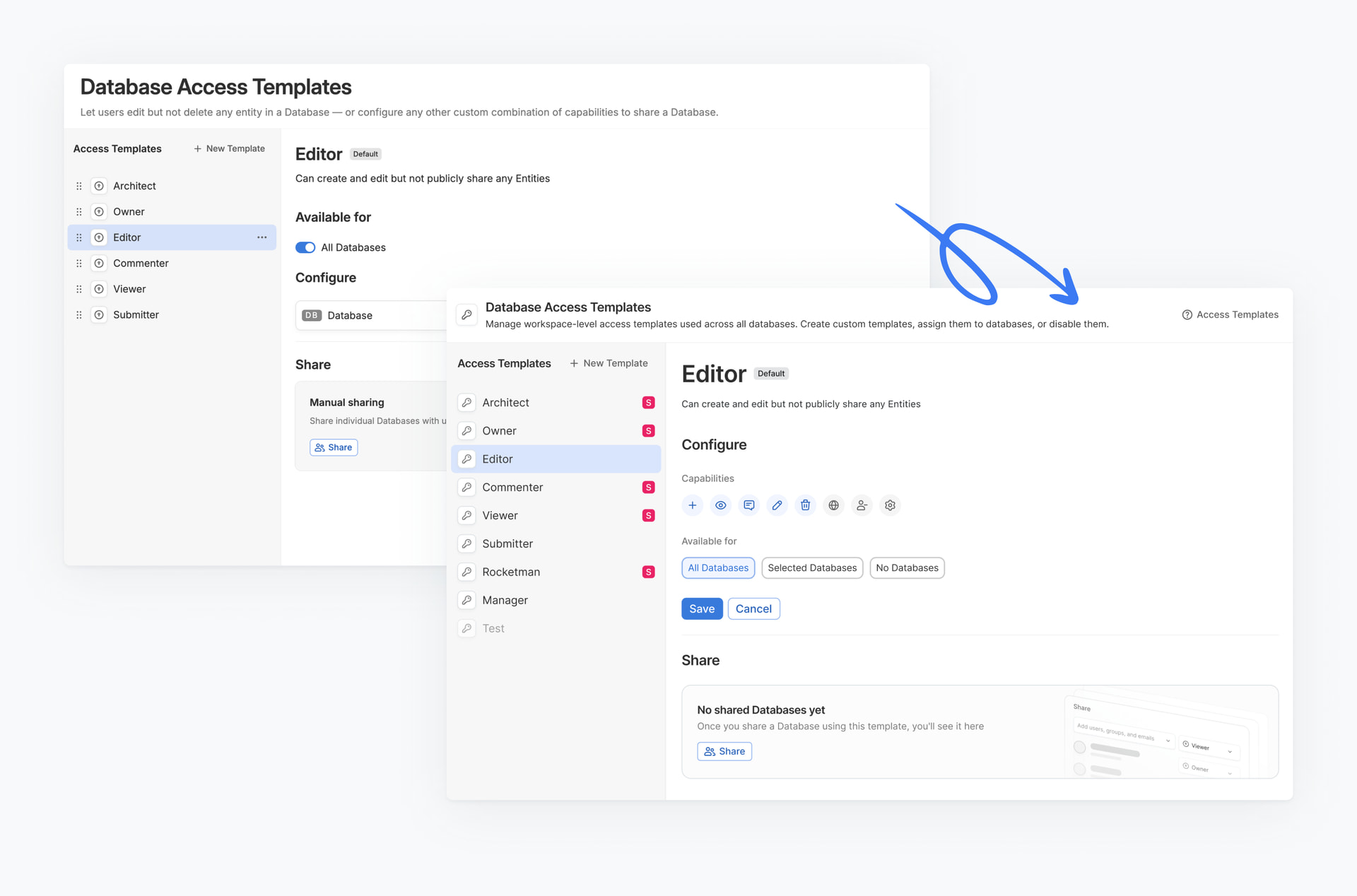
Check out more details in our user guide.
 Improved Tabs in the Desktop app
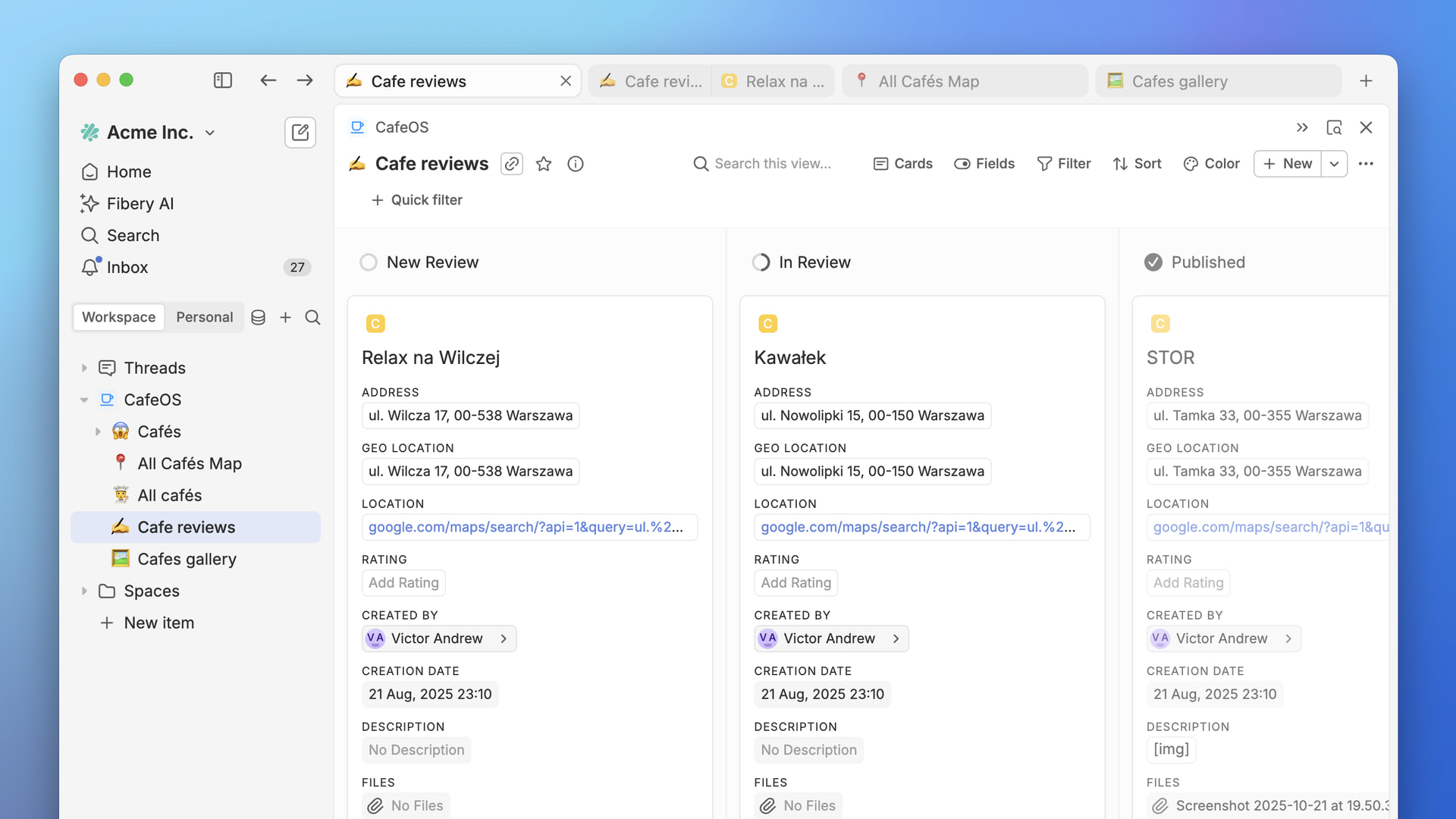
We’ve refreshed tabs and tab groups in the desktop app based on your feedback. Small changes, but they should make working with many tabs smoother and less distracting.
What’s changed:
- Clearer selected tab state, so it’s easier to see where you are
- Improved tabs with panels for better readability
- Scrollable tab bar when you have lots of tabs open
- General layout fixes
 Architect/User mode (experimental)
Discover it in Experimental features and find out what it does by yourself  →
→  .
.
 Stripe integration
Now you can sync your Stripe payment data into Fibery to analyze revenue, track customers, and manage subscriptions alongside your product and business workflows. Go to Integrations and find Stripe template.

 Improvements
- Dashboard: Now views and entities open in panels, so Dashboard usage should be more pleasant and predictable.
- Views. Now we try to preserve all View settings when adding or removing databases. For example, now we do not reset single select axis on the board when removing a database, and do not reset lane/axis when adding a new database to timeline or board views.
- Rich Text: Now files uploaded to rich text fields and documents can be previewed via a lightbox.
- AI: Curious admins may try to create Reports in Fibery AI Agent (in Build mode).
 Degradations
Next week we’re going to release new Quick Filters on Views. Any user will be able to create Quick Filters and any Architect will be able to create Quick Filters for other users. These are good news, but we have to replace Pinned filters and it is not easy. As a result, we will  unpin all Pinned filters that have OR condition in the filter setup next week. For example, if you have pinned filters like these, all of them will be unpinned, since they are united via OR:
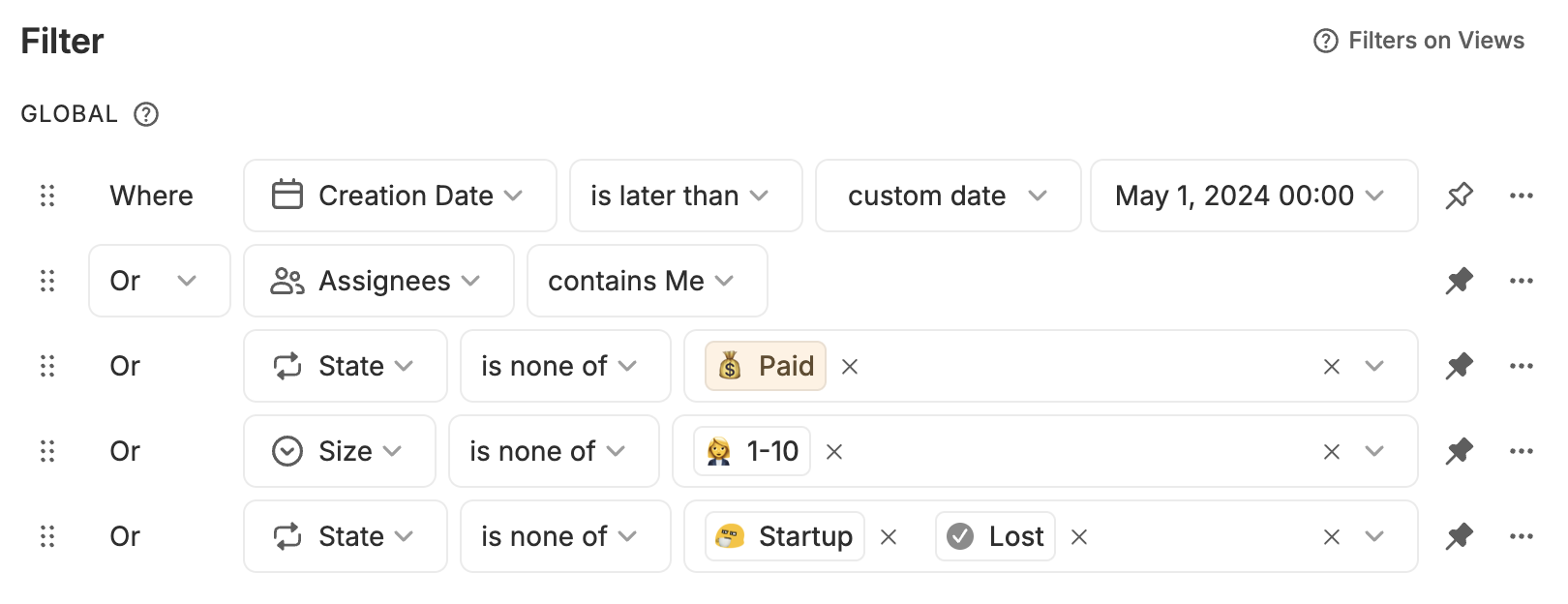
Note that it will not affect Views filters, just Pinned filters. Architects will have to re-create such filters. On a positive side, new solution will be more user friendly, more flexible, and just better.
 Fixed Bugs
- Documents / Rich Text:
- New lines are not preserved in some cases when copy/pasting from documents
- Issue with list items selection if some entity with workflow/units is mentioned in the the list
- Text formatting: unlink for URL doesn’t work in case of doing that right after linking
- Safari: markdown in documents <> is broken
- Copy-paste from external source (Slack, Google Chat, ChatGPT, X etc.) to rich-text works wrong and vice versa
- It’s impossible to move header to the next line in rich-text if there is a mentioned entity in the header
- Check-boxes selection does not work properly in Firefox
- Check List Block: Typing [ ] before bullet list item transforms it to check box
- Can’t turn list items to check-boxes if they are selected via ctrl+a
- Issue with markdown export: formatting is not applied correctly on pasting to the rich-text
- Pressing tab redirects me to the very top of the document sometimes
- Using prettify-names parameter in sharing API (or prettyPrintRefs in scripts) doesn’t return Entity names for newly created Databases
- Timeline / Gantt View:
- Text goes under sidebar sometimes on resizing lanes column in Firefox
- Gantt view: ‘+’ buttons placed differently for the group item and ‘no parent’
- Timeline View: ‘+New’ should not be disabled in Timeline, Calendar and Gantt views if one of the dates is read-only
- File Field:
- Drag & drop for sorting doesn’t work on touch devices (e.g. iPhone)
- Fixed an error “Can’t access property “split”, t is undefined”
- API: API Keys page crashes if backend answers a non 200 status code response
- Desktop: Zoom problems on Windows
- Reports:
- Move report owner info to the bottom of the menu
- Include context in schema optimization calculations
- Add icon for ID field in add fields popup
P.S. Your feedback, likes, dislikes, and constructive ideas are welcome. We do listen and do react. 
P.P.S. If you did not check Fibery Strategy for 2026, there is still a chance to do it.

 Congratz!
