Adding rich text with multiple lines to a PDF

I want to add a rich test to my PDF using the PDF template (html) with multiple lines:

"This is an example with multiple lines.
This is the second line.
A list:

  • one
  • two
  • etc"

Now this is all added as one line, which does not work for my client. How can I do this?

If you’re populating the PDF using html, then I think you need to use html tags, e.g.

<br> This is the second line

OK. I get the rich text field content from a form that the users fill in. They can fill in answers that consists of multiple paragraphs. The PDF template maker doesn’t add the whitespaces. I can’t ask them to add <br.>, and I can’t ask my client to go through everything by hand and add <br.>, any ideas on how I can a text with multiple paragraphs (or multiple lines) to print well and not be condensed on one line?

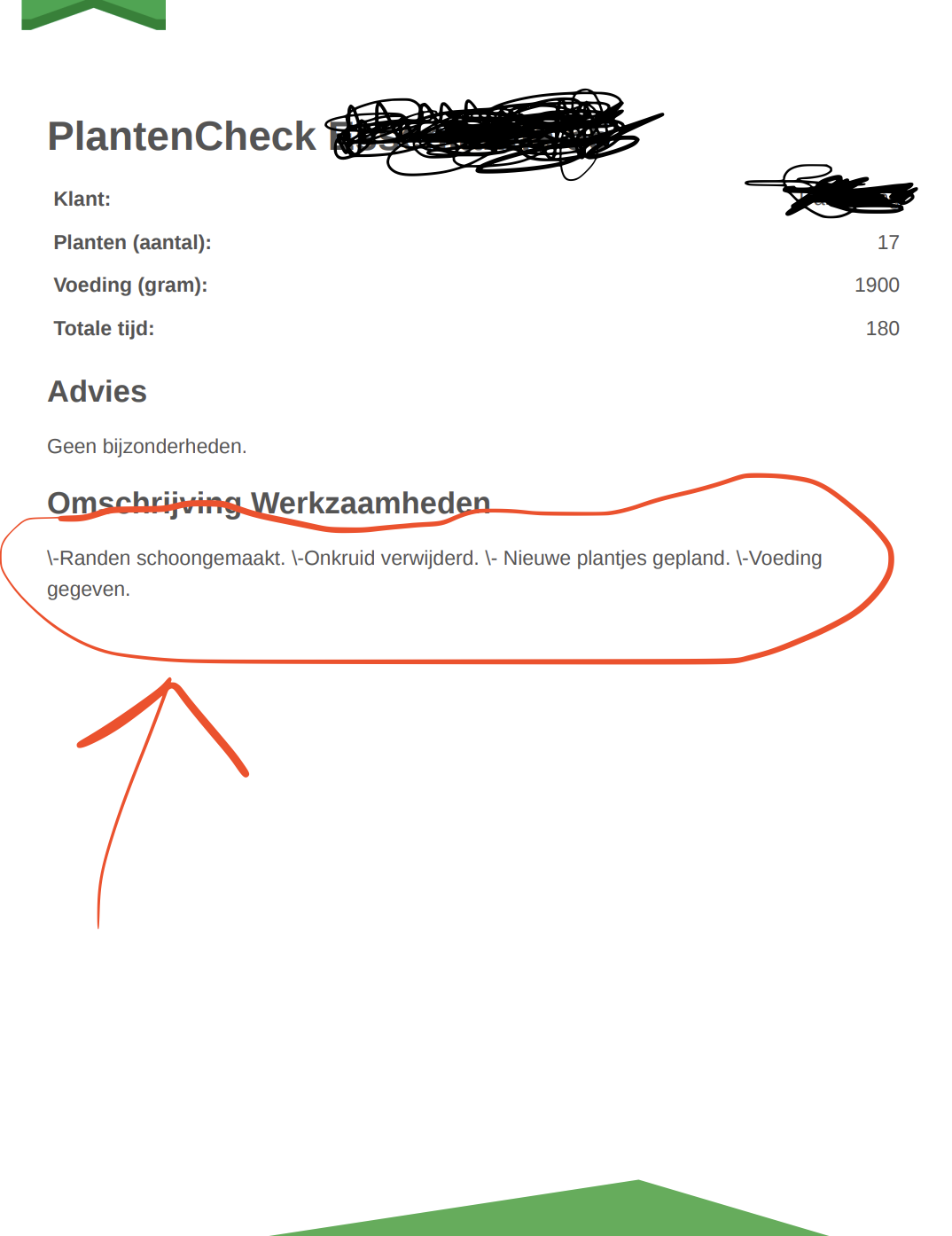
Here is an actual example:

Are you talking about a Fibery form?

Are you basically trying to put content from a rich text field into a PDF?
If so, why use HTML template?

Yes, I am talking about Fibery form.

Yes, I am trying to put content from a rich text field into a PDF. It works well except for when there are multiple lines.

I use HTML template because I want to style the PDF to fit the customer’s house style.

So how are you getting the rich text content into the PDF? Can you share what the PDF generation action template looks like.

Yes, and yes I can share it:

{! Files:Secret,Name !}
<!DOCTYPE html>
<html lang="nl">
<head>
  <meta charset="utf-8"/>
  <meta name="viewport" content="width=device-width, initial-scale=1"/>
  <title>{{Name}} PlantenCheck</title>

  <style>
    body {
      margin: 0;
      padding: 0;
      background: #fff;
      font-family: "Helvetica Neue", Helvetica, Arial, sans-serif;
      color: #555;
    }

    .invoice-box {
      max-width: 900px;
      margin: 160px auto 140px auto;
      padding: 30px 60px;
      font-size: 16px;
      line-height: 24px;
      position: relative;
      z-index: 1;
    }

    table { width: 100%; border-collapse: collapse; }
    td { padding: 5px; vertical-align: top; }
    tr td:nth-child(2) { text-align: right; }

    .header { position: fixed; top: 0; left: 0; width: 100%; height: 160px; z-index: 0; }
    .header svg.triangle { width: 100%; height: 100px; display: block; }
    .header .logo { position: absolute; top: 20px; left: 40px; height: 120px; }

    .footer { position: fixed; bottom: 0; left: 0; width: 100%; height: 80px; z-index: 0; }
    .footer svg { width: 100%; height: 80px; display: block; }
    .grunn-green { fill: #4CAF50; }

    .page-break { page-break-before: always; }

    .werkfotos {
      max-width: 900px;
      margin: 140px auto 120px auto;
      padding: 30px;
    }

    .werkfotos h1 {
      color: #364357;
      font-size: 36px;
      margin-bottom: 20px;
    }

    .image-grid {
      display: grid;
      grid-template-columns: repeat(auto-fit, minmax(120px, 1fr));
      gap: 8px;
    }

    /* ✅ Fix single-photo layout — bigger, left-aligned, taller */
    .image-grid.single {
      display: flex;
      justify-content: flex-start;
    }
    .image-grid.single img {
      width: auto;
      max-width: 500px; /* bigger width */
      height: auto;
      max-height: 300px; /* taller height */
    }

    .image-grid img {
      width: 100%;
      height: auto;
      border-radius: 8px;
      object-fit: cover;
      box-shadow: 0 2px 5px rgba(0,0,0,0.12);
      image-rendering: -webkit-optimize-contrast;
      max-height: 160px;
    }

    @media print {
      .header, .footer { position: fixed; }
    }
  </style>
</head>
<body>

<%
  const utils = context.getService('utils');
  const files = Entity.Files || [];

  // 🖼️ Shrink image URLs for smaller PDFs
  const width = 300;
  const quality = 30;
  const images = [];

  for (const f of files) {
    if (!f || !f.Secret) continue;
    const name = (f.Name || '').toLowerCase();
    if (name.match(/\.(jpg|jpeg|png|gif|webp)$/)) {
      let url = utils.getFileUrl(f.Secret);
      if (url) {
        url += `?width=${width}&quality=${quality}`;
        images.push({ url, name: f.Name || '' });
      }
    }
  }
%>

  <!-- Header -->
  <div class="header">
    <svg class="triangle" viewBox="0 0 100 100" preserveAspectRatio="none">
      <polygon points="0,0 0,100 100,0" class="grunn-green"></polygon>
    </svg>
    <img
      class="logo"
      src="https://grunndak.nl/wp-content/uploads/2024/08/Grunndak-logo1.png"
      alt="GrunnDak Logo"
    />
  </div>

  <!-- INFO PAGE -->
  <div class="invoice-box">
    <h1>PlantenCheck {{Name}}</h1>

    <table>
      <tr><td><b>Klant:</b></td><td>{{Klant}}</td></tr>
      <tr><td><b>Planten (aantal):</b></td><td>{{Planten (aantal)}}</td></tr>
      <tr><td><b>Voeding (gram):</b></td><td>{{Voeding (gram)}}</td></tr>
      <tr><td><b>Totale tijd:</b></td><td>{{TotaleTijd}}</td></tr>
    </table>

    <h2>Advies</h2>
    <p>{{Advies}}</p>

    <h2>Omschrijving Werkzaamheden</h2>
    <p>{{OmschrijvingWerkzaamheden}}</p>
  </div>

  <!-- WERKFOTO'S PAGE -->
  <div class="page-break"></div>
  <div class="werkfotos">
    <h1>Werkfoto's</h1>
    <!-- ✅ Conditional "single" class -->
    <div class="image-grid <%= images.length === 1 ? 'single' : '' %>">
      <% if (images.length === 0) { %>
        <p>Geen werkfoto’s beschikbaar.</p>
      <% } else { %>
        <% for (const img of images) { %>
          <img src="<%= img.url %>" alt="<%= img.name %>"/>
        <% } %>
      <% } %>
    </div>
  </div>

  <!-- Footer -->
  <div class="footer">
    <svg viewBox="0 0 100 100" preserveAspectRatio="none">
      <polygon points="0,100 66,0 100,100" class="grunn-green"></polygon>
    </svg>
  </div>

</body>
</html>

This is a rich text field:

<p>{{OmschrijvingWerkzaamheden}}</p>

And so is “Advies”

I need to check, but I think the issue is that using {{FieldName}} in a template will generate a markdown version of the content, which works well if you’re making a PDF based on markdown template, but not so well for a PDF that assumes an HTML template.
I think you may need to get the rich text field content as html, using a line of JS.

thanks! yes I use {{FieldName}} here and I tried to get the content of this Rich Text field to be able to use and manipulate in JS, but haven’t pulled it of. Will keep on trying but if you or anyone finds a way I am curious.

Hi Chr1sG. I can’t get the content of a Rich Text field to manipulate using JavaScript, when I try it is empty.
However, I used this formula to convert my Rich Text into a normal Text field with HTML:

"<p>" +
  ReplaceRegex(
    Replace([Advies (Snippet)], "\n\n", "</p><p>"),
    "\n",
    "<br>"
  ) +
  "</p>"

And I just added this in double curly brackets to my template et voilĂ  it worked!

Thanks again for the help and for whoever reads this I hope it is clear!

1 Like

Glad you found a solution, but I’ll note for anyone reading this: the ‘snippet’ version of a rich text field is not always identical to the original rich text - some truncation/modification will take place.
It seems like this is not an issue for @bear though, so that’s good :blush:

1 Like

Thanks for your comment and your help Chris! That is useful to know that the snippet version is not always identical. I will thoroughly test this current solution for my client as I do not want any more surprises for him! But so far it looks good :blush:

I will experiment more and then get back to this topic if I find any other solutions or problems related to this. I hope more solutions! :wink:

You can run a script that copies the rich text to a standard text field as HTML, then use that text field in the HTML template instead of the rich text field.

Best would be to have this as an action in the same button as the one used for the pdf template, since updates are not instant when working with automations triggered on rich text field changes.

1 Like

Thanks I will experiment with that approach and post the solution here. I can see the solution that you propose be more elegant and allow a lot more possibilities to some other puzzles :thinking:
I think that is an unnecessary step.
You can simply include some JS in your PDF template, e.g.

<h1>Content below</h1>
<%
const fibery = context.getService('fibery'); 
const entityWithExtraFields = await fibery.getEntityById(Entity.type, Entity.id, ['Description']);
const richTextAsHtml = await fibery.getDocumentContent(entityWithExtraFields['Description'].Secret, 'html');
%>
<%= richTextAsHtml %>
2 Likes

I have tested @Chr1sG 's solution above and it works well. Just replace ‘Description’ with your field name (2x).

Thanks Chris and thanks Ron as well! :fire:

1 Like