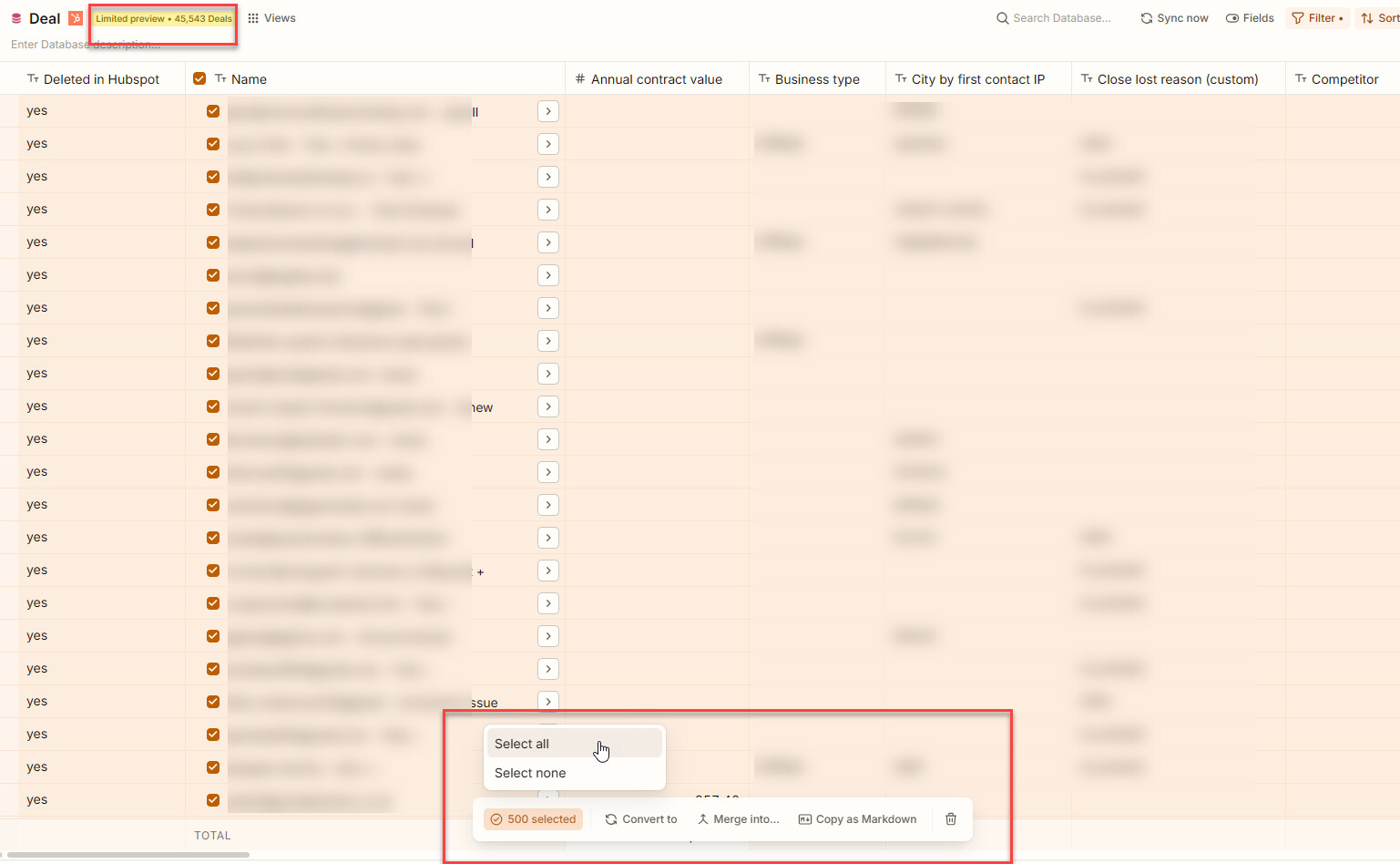
In my dataset I have more than 10.000 entities and I want to delete them all.
- First I click to select all 500
- Then I click “500 selected” and choose the “Select all” option
- Everything gets selected but the bar with operations disappears as well leaving me no option to delete unnecessary data the easy way.
This happens on the db level - not the view level.
I was able to replicate this in all table views when pressing “Select all” when all items are already selected.
But @myg_ge, even if this is solved, it does not select more than 500 entities in database preview. Only 500 entities are loaded into the database preview table view. Maybe the the “Show all” button in the toolbar should indicate total number in the view it will select.
If you want to select all entities in a DB, you must create a new table view (not from the database preview) and select all there.
Thanks Ron: UX: Table view: Select all: impossible to delete over 10k entities
PS: I’ve just created automation rules to handle this cleanup - this must be pain free - just cannot see the result immediately - looking forward to it tomorrow morning
But I got bad news there too - hmm hmm: