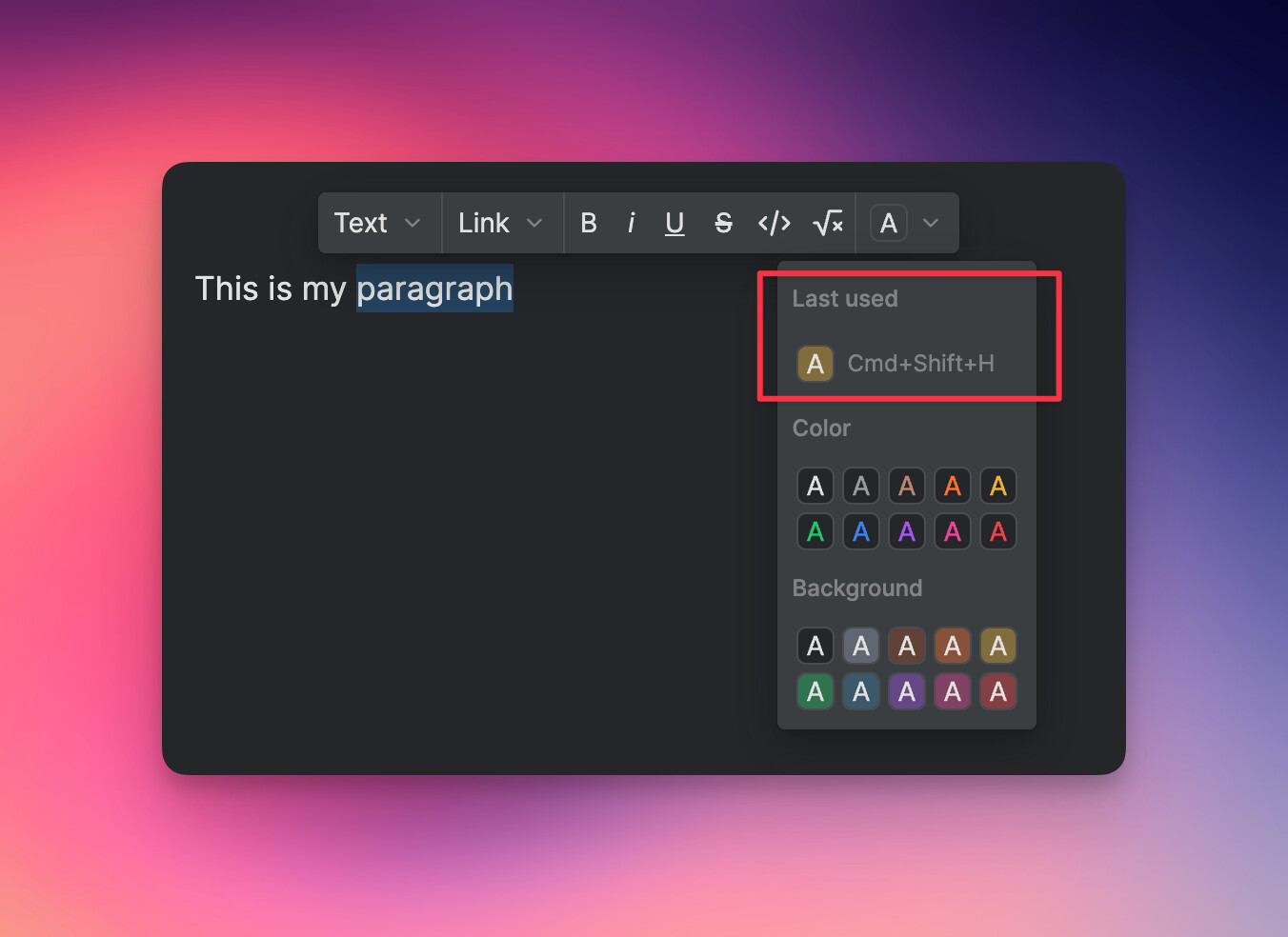
In Rich Text editor, currently we need to click twice to highlight: first click dropdown menu, then chose a color of choice. Would be nice if it can remember the last choice and we can just click on the highlight icon (red box below) to highlight the text. In the case that we need to change color, we can click the dropdown arrow to choose another one. It’s basically the same UI, and feel more intuitive to use.
Even better, if there is a keyboard shortcut key for the highlight function!
It works for applying text color or text background. They get the last used style if you use the keyboard shortcut Command + Shift + H
The keyboard shortcut is really useful, it saves a lot of time when you are trying to highlight parts of the text when reading, studying, making more visible parts of the text for teammates.
Renato we must be in sync, digging up this old post so at about the same time.
I really would love to see highlight options in the / command menu.
This would help cut down on the time it takes to format docs while creating them