Every time I create a NEW chart I get this error:
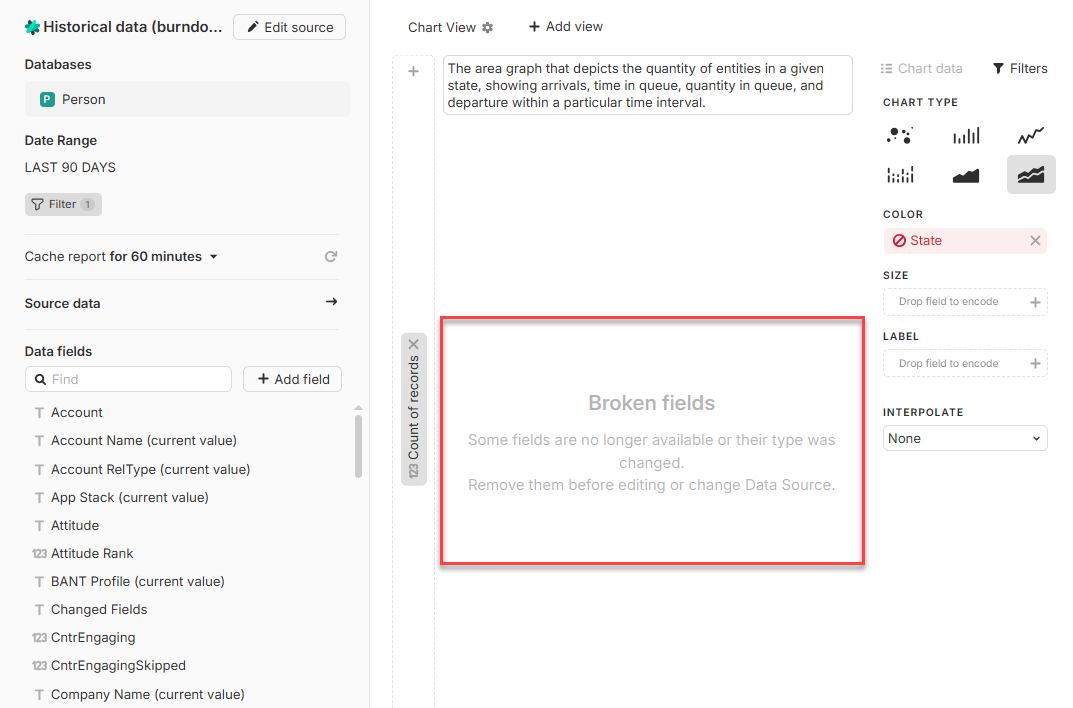
Even though I haven’t added any filters/criteria yet. What is causing this error?
Once I remove State field from COLOR (I didn’t add it there), chart works fine.
Are you saying that when you create a new report from scratch, it already has the State field chosen for Color coding?
That sounds weird.
If it’s reproducible, can you record a video.
I note that the description also has something written. Did you do that?
And the y-axis? Did you set Count of Records?
Yes, that’s right, sir. I will record a video for you.
If you meant the description on the top - no - it was autogenerated.
No, I didn’t set any counters. They were already there.
I just picked up the Cumulative view “template” for my CRM/Person db when was creating the report view and that’s how it did come out.
Anyway, I will record the video a bit later today. Thanks Chris.
Ah, OK. It was from a template.
I guess it shouldn’t suggest a cumulative chart template for a db that doesn’t have a state field. The video will be useful for us to reproduce, thanks.
PS: The caption of the report is misleading: it lists all databases that report view initially offered me to base my report on - but I actually chose just 1 of them (Person).
Interesting. And you say that the Person db actually does have a State field?
What happens if you drop that back into the Color coding option (after removing the original broken field)?
Thx. We’ll dig into it and let you know when it’s fixed.