We are continuing to make Fibery less annoying to use. I hope you will enjoy small improvements here and there in this release.
Disable linking existing Entities on a Context View (always create new Entities)
In some scenarios, you (almost) never link an existing Entity from a Context View, but (almost) always create new ones. For example, you have Time records linked to Project, or Expenses linked to Shipment, etc. Now you have an option to disable linking in Context List Views. Open Items menu and switch off “Allow linking existing entities”. Enjoy!
You don’t want to accidentally find out your Space is visible to the whole internet during a random Google search, so we made it clear in the sidebar if it is:
Whiteboard: Improved text rendering algorithm to reduce editing issues across browsers. The cursor now places at the click position when entering text editing in most cases.
Notion integration:
Data Sources are now supported. If you are looking to sync multi-Database Data Sources from Notion, please reconfigure your integration. Otherwise, we’ve already seamlessly migrated everything for you.
You can now import and sync Person properties as People fields.
Fixed Bugs
Entity Permissions: Add and edit field buttons are visible for entities in public mode
Table View:
Table View: Grid column is broken after conversion of cardinality of relation
Table view: ‘+New ’ link is not hidden if user doesn’t have create capability for it
Fields: Just generated name does not appeared in to-one relation input, "untitled’ is displayed instead
Gantt View: Gantt extra empty rows added on Collapse/Expand with grouping
Sidebar: Drop shadow on left panel partially hidden by navigation bar
Integrations:
Get options returns empty array for update initiated two-way sync integration
Import from ClickUp gets canceled with the message: “Importing into Task failed Some invitees already have records”
Smart Folders & Context empire:
Can’t move sub-item in smart folder to re-order it
Issue with self-relations in smart folder - entity can not be added as child if there is no other children linked to parent
Drag and drop in smart folder gets broken for self relations if database name = collection name
Whiteboard: Side resize cursors should only allow proportional resizing if only proportional resize is allowed
CSV import:
Null option is created during CSV import in case of empty value in single select field
Wrong Name field mapping when importing csv data
URL fields in the CSV are converted into plain text fields after import instead of remaining URL fields.
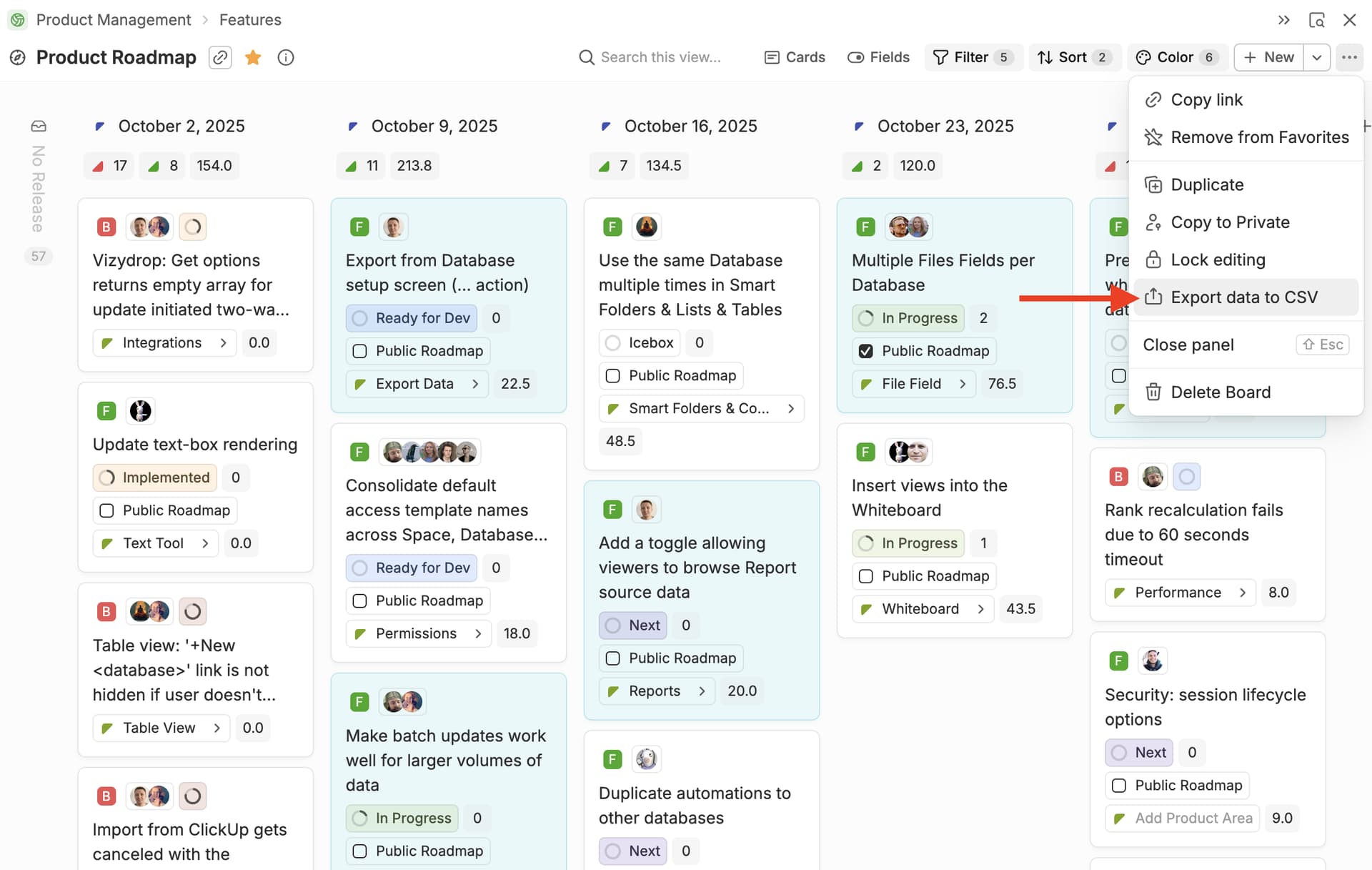
" " in Name column after exporting and importing back data
Documents / Rich Text: Wrong size of embedded view if public document is opened in Safari
Love the update, but this was exactly the opposite for us. We have quite some situations where we want people to link existing entities and not create new ones
The smart folder fixes are supreme though. It is so much nicer to use with these fixes.
Also, I missed a couple of updates where Whiteboards and Timeline views were improved, but I noticed how much nicer they are to use right now.
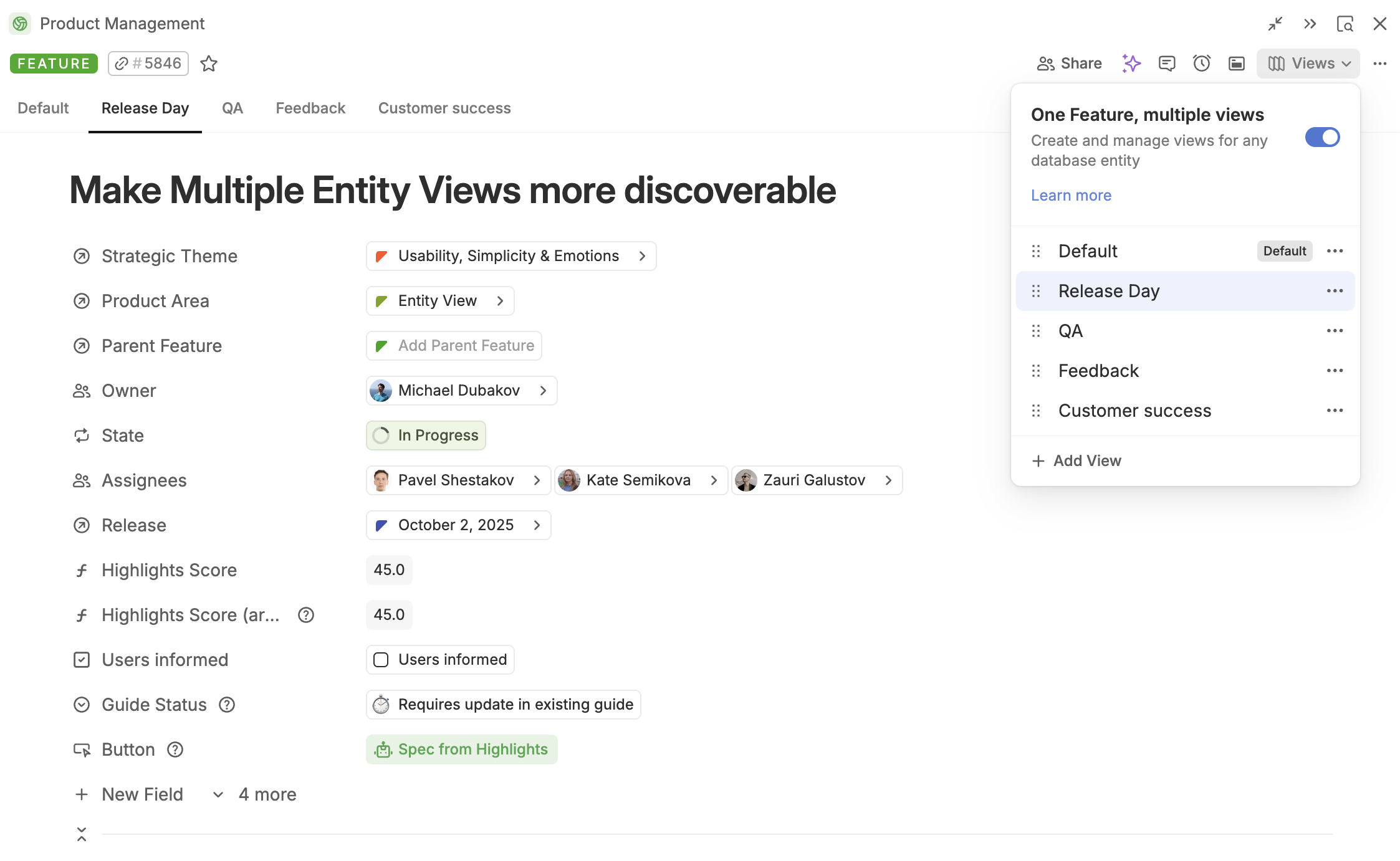
Really not a fan of this. It adds clutter/complexity for all our users, and we need to keep things as simple as possible. Can we at least have the ability to unpin views? Or a toggle of what the default should be?
We deliberately removed pin here to simplify the concept. We will collect more feedback, but pins will be hardly added back. What we may introduce is a rule that will Hide Tab from users based on some conditions.
Love it! This covers many use cases across different disciplines, because “disabling linking existing entities” improves the UX, since users do not have to actively force the existing entities out of their view.
True , but this other, non-mutually-exclusive side of it, is equally as important, if not more so, because having the option to disable creating new entities (i.e. force linking only existing entities) is more than a UX improvement.
Not disabling the creation of new entities when only existing ones should be picked, leads to data fragmentation, redundancy, and integrity violations in centralised/normalised entity databases (tables). In our case, we have a centralised database (table) of dimension options, which we use instead of select fields across other databases (tables), e.g. for role types, resource types, geo markets, GL (general ledger) categories, etc.
Actually, I found it to be a very useful feature . I understand the goal was to reduce complexity, and that may have worked well for newbie admins. From my perspective, though, it seems to have unintentionally added more complexity for users in workspaces where there are both primary and more technical/admin or rarely used views.
I second Michael’s comment – this is a serious UI downgrade. Leaving
some views unpinned was an important part of providing some tabs that
were available if needed, but did not unnecessarily clutter views.
Essentially, this now forces all users to view all tabs, which greatly
increases user confusion and complexity of the interface.
Yeah, I appreciate efforts to improve usability, but not having the ability to pin/unpin anymore is a step back.
Disable linking existing entities is great, but like others have said, please also add another option to allow the forcing of entities to be linked to existing entities only!
If the issue being solved was making it more intuitive to show tabs,
could you just reverse the logic and show tabs automatically except for
a ‘hide’ toggle that just collapses it under a ‘more’ view? I can see
it’s a little confusing to have to figure out how to pin the tabs. In
that case, showing all tabs by default is great, but please give us an
option to visually deemphasize/hide them!
Rules would be great to show tabs only to certain people/roles/scenarios
(big +1 for that functionality!! – it would be huge), but that’s a
separate functionality.
..but we need hiding of entity view tabs back. Too much clutter, especially for his feature:
I’ve come up with a helpful entity views navigation solution, some of you will like it:
Database ‘Display’ entities each show one field of a parent (e.g. Project) through contextual filter list views, the fields are filtered using the tabs rules. Example: Project has 10 Displays (shown on main Project page), each displaying project fields, e.g. Description, Planning, Meeting, Teams, Tasks, etc.
So instead of using tabs, Display entities are used. Navigating became much more user friendly now. Display entities can be shared or dedicated.
I wish this “Link or Create” would be more consistent across Fibery. Showing in other types of relation views, as well configurable for the field itself in the relation setting so it goes to table views as well. Honestly, I think that this is more of a relation setting thing than a view thing. Where in the relation you set either Link, Create, Both, or Neither. Directus does does this quite nicely!
Also noting the different language per Relation View, “Create” vs “New [Database]”
I like this!!
For complex databases, I have a view called “Everything” which shows all the fields. It’s also where I go to create new fields, as this way they don’t show on all the other entity views by default. But having that showing for everyone is really not needed.
Wondering if Relation Views should get the same treatment then? Default to being pinned, but can be set to hidden. It’s also a bit of a hidden functionality there, and personally I almost always pin those. What do you guys people think?
Hi Chr1sG. Thanks, I will look into it for the time being. I love a good workaround!
I agree 100%. Same with filters in the picker, which right now I have found no way to apply except in the picker, i.e. I cannot set the filter of the relation field itself, where it belongs.
Not in my case. If it’s a matter of workflow, there are times when I the admin only want to link existing entities without the option to create a new one


 Improvements
 migrated everything for you.
 Fixed Bugs


 Love it! This covers many use cases across different disciplines, because “disabling linking existing entities” improves the UX, since users do not have to actively force the existing entities out of their view.
 , but this other, non-mutually-exclusive side of it, is equally as important, if not more so, because having the option to disable creating new entities (i.e. force linking only existing entities) is more than a UX improvement.
 . I understand the goal was to reduce complexity, and that may have worked well for newbie admins. From my perspective, though, it seems to have unintentionally added more complexity for users in workspaces where there are both primary and more technical/admin or rarely used views.