 Update existing entities via CSV
Sometimes import doesn’t happen just once, it happens from time to time. In this case, you don’t want just to add new records but also update the existing ones.
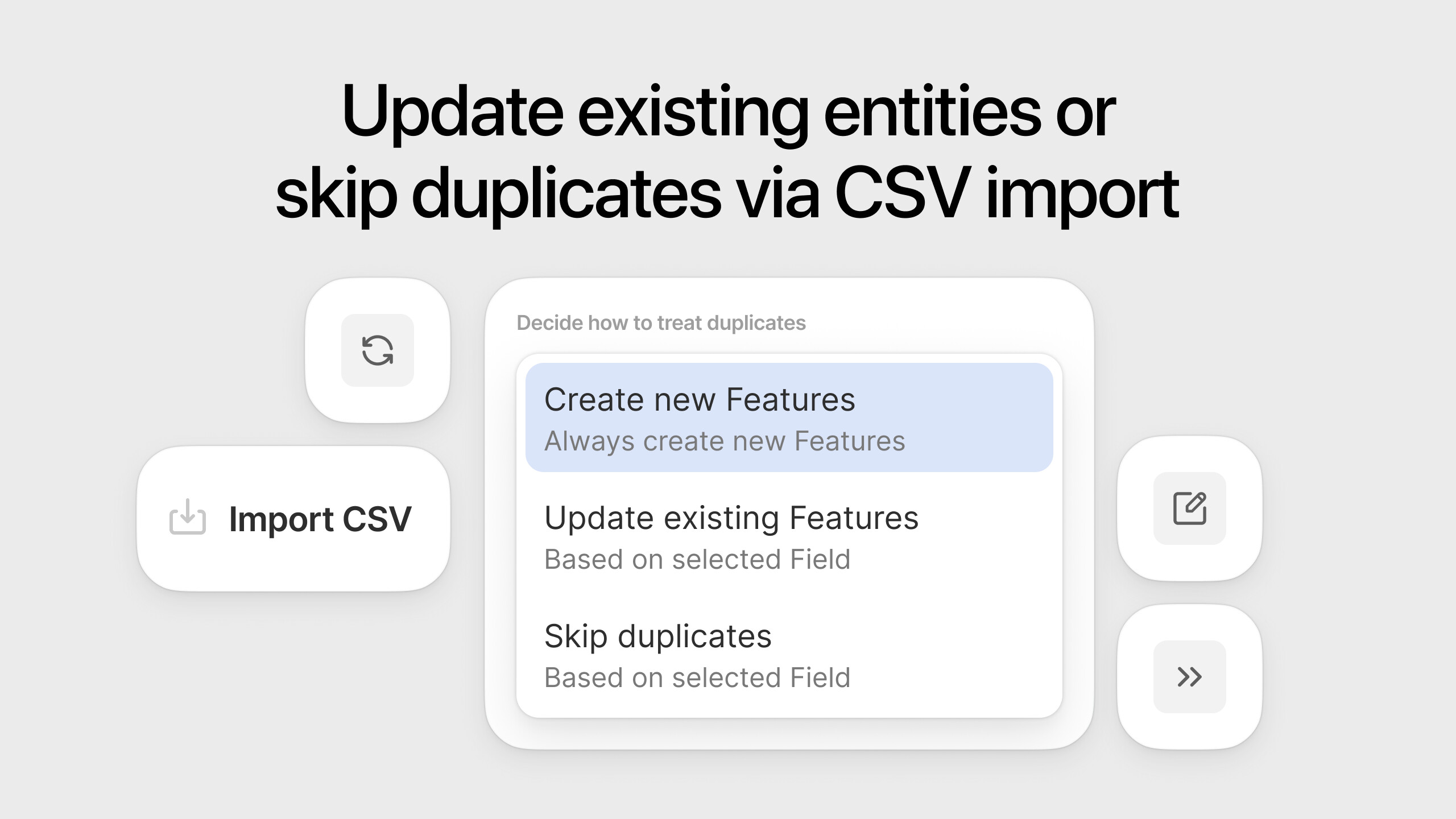
Introducing three ways to deal with duplicates:
- Always create new records (previously, the only option);
- Update existing records based on name, ID, or some other Field;
- Skip duplicates based on some Field.
No need to slice and dice your CSV file before uploading and configure workaround automations—just select the desired option.
Check out our user guide for details and try uploading a file.
P.S. If you find yourself regularly exporting and importing CSVs, consider creating a custom integration instead.
 New light and dark color palette for Whiteboard
We’ve updated our whiteboard color palette system to make working in both light and dark modes smoother and more visually consistent.
What was the problem?
Previously, our whiteboard used a single color palette for both themes. This often caused readability and contrast issues, especially with darker text and elements in dark mode.
What’s new?
- Separate palettes for light and dark whiteboard themes to ensure optimal contrast and readability.
- Inverted color mapping for the dark theme to preserve visual hierarchy.
- Tuned color formula for the dark theme to improve accessibility for all non-basic palette elements.
- Updated section behavior for a consistent user experience across whiteboard themes.
With these changes, switching between light and dark mode on the whiteboard now looks cleaner, feels more consistent.
Add [ai-agent] tag to rules rich text to invoke Fibery AI Agent
Fibery AI Agent in automations was removed last week, this week we’re releasing it again, but with a new syntax. Now you can invoke it in any rich text field via a special tag:
[ai-agent]
Some clever prompt
[/ai-agent]
Check user guide for more details and use cases.
Small UI improvements: Batch 2
This week’s “Small UI improvements” includes many adjustments to action menus, rich text, and a few bigger updates.
Action menus
Adjusted paddings, improved color tokens in dark theme, fixed search input placement, and tweaked the Workspace menu, adjusted the > button placement in nested filters menu

Left Sidebar
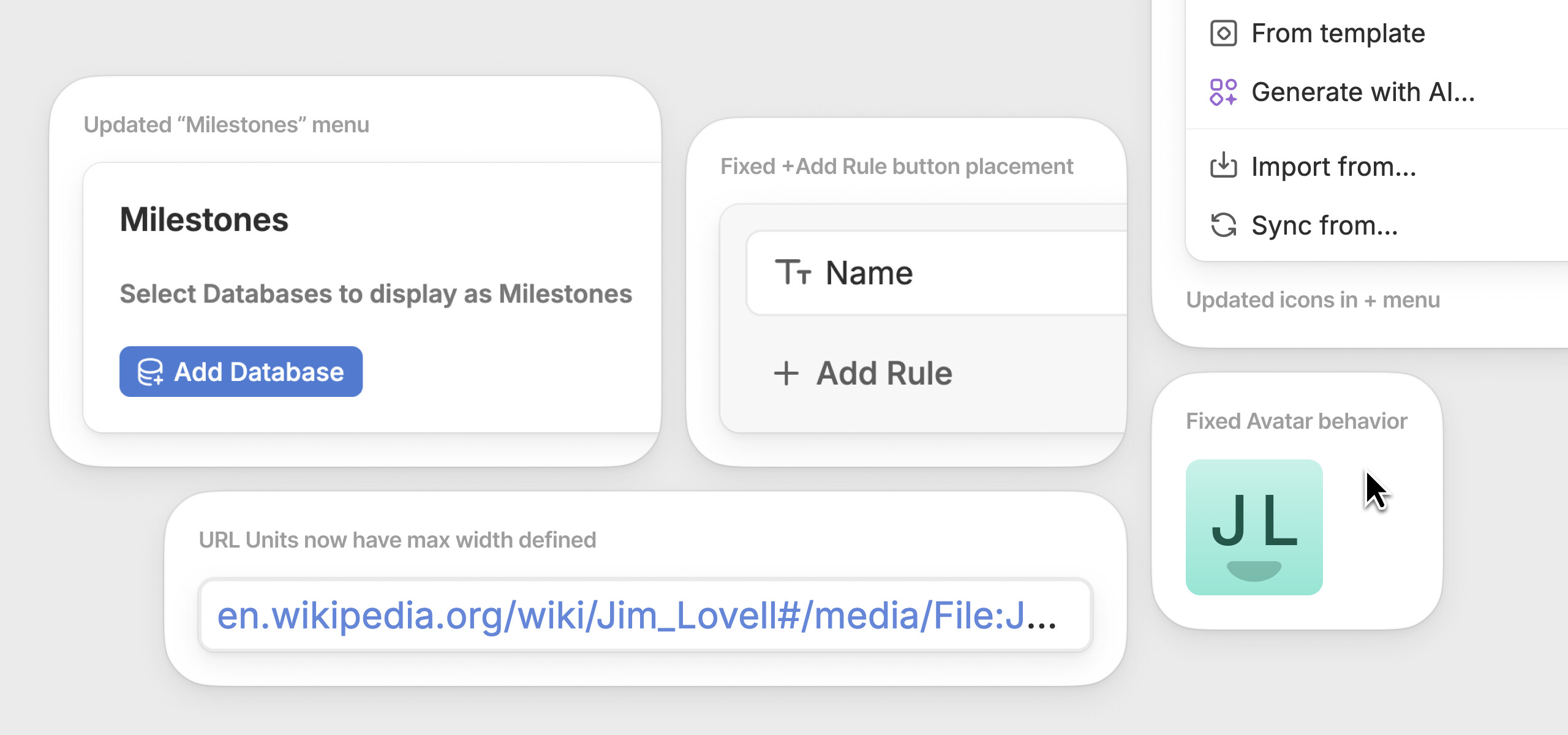
Improved hover state timing, updated icons in + (New item) menu
Rich text
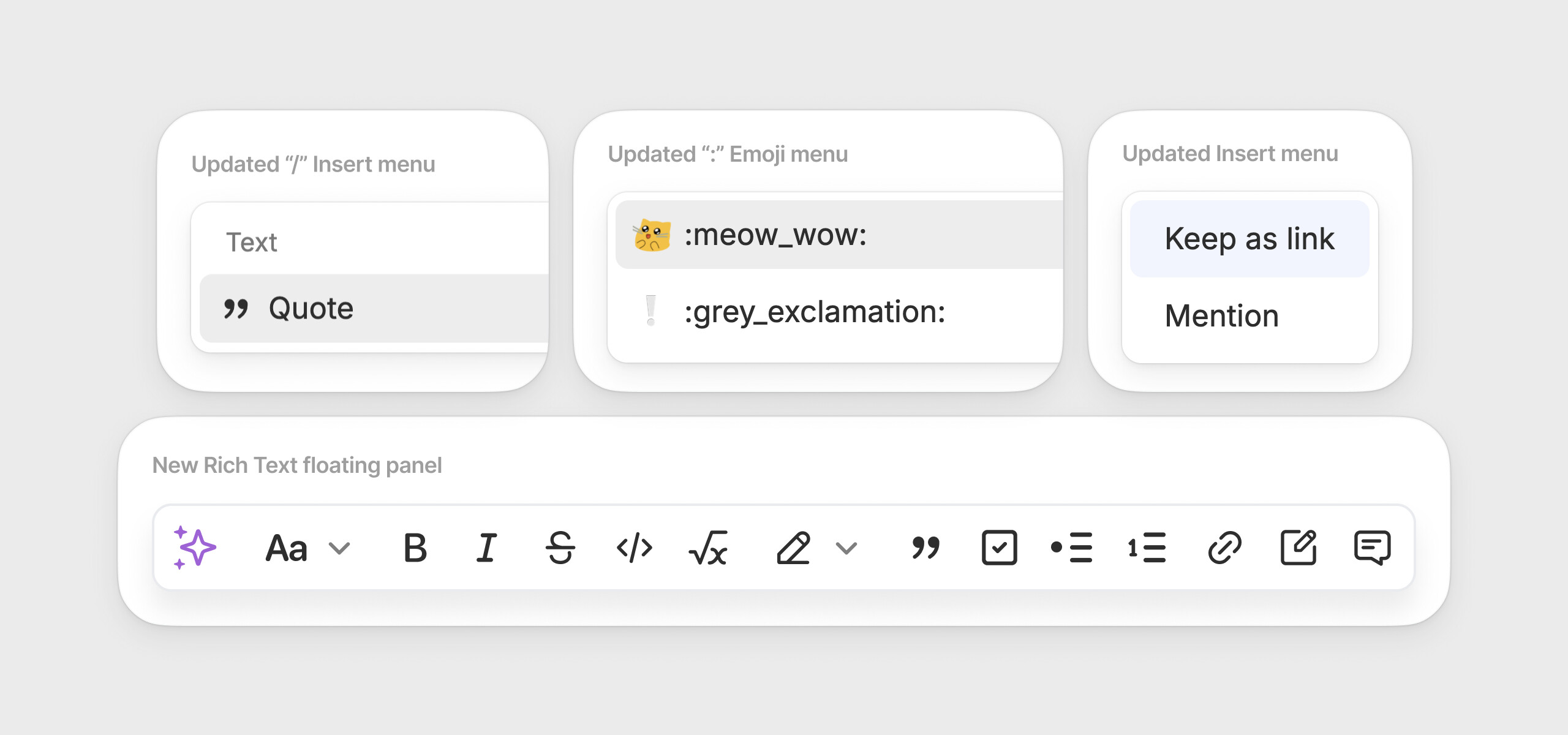
Tweaked paddings of the / (Insert) menu and it’s icons, updated menu styles for “Link or Mention” menu, updated styles for : (emoji) menu and restyled our text editor floating panel menu
Views
Updated “Milestones” menu to align with other similar Database selection menus across Views, moved the +Add Rule button to its corresponding area, defined max width for the URL unit
Other updates
Fixed Avatar hover behavior: it now doesn’t show “upload” state if user doesn’t have such rights. Added Edit icon to URL and Email fields on entity view.
 Improvements
- Sharing: when managing access for a User, see all Databases they have access to, including those shared via User Groups or on the Space level
- AI: Default models for rich text AI assistant and AI in automations changed to
gpt-5-chat-latestandgpt-5-minirespectively. List of models you can use in automations:gpt-4o-mini,gpt-4o,chatgpt-4o-latest,gpt-5,gpt-5-chat-latest,gpt-5-mini
 Fixed Bugs
- Timeline View:
- Drag&drop to group lanes should be disabled
- Layout issue for the selected card when user drags it
- Missing ‘Untitled’ for secondary dates badge when entity has an empty name
- Gantt View:
- Adding filter to Milestone Db results in error
- Hide “No matching results” when db is not selected for gantt
- Milestone should not be visible in Lanes area
- Use field name in no parent lane title on timeline and gantt when group by is used, and fix placeholder avatar
- License: scheduled changes must be preserved when updating subscription’s user count
- Notifications: Change default notification call to action (“Look at this for yourself”)
- AI Agent: Build mode:
- Agent tries to re-use existing enums
- Agent uses special characters in field names
- Agent fails to create a database due to invalid name
- JSON in view description if it was created and then updated with AI
- Agent creates databases with special chars
- Board View: ‘+New database’ button started to be available on Board view even for users without appropriate permissions
- Import: Import: ‘Upload file’ or ‘Edit fields’ pages sometimes stuck in loading state
- GitHub: Unable to sync GitHub. 300s timeout when syncing
- Automations: ‘Append / Prepend content’ action does not work for documents with comments
P.S. Enjoy summer and give some hugs to people around you 
 Keep up the great work team!


 .
.