Hi Everyone ,
Going through the tutorial and realised that the below step ,
4. Add Workflow field and edit its values: New → Negotiating → Paid → Lost.
is different in the current Fibery version from what is in the tutorial as well as in the video version.
Below is the link to the doc on the Workflow field.
So , how do I add the 4 values in current Fibery Workflow field to get the same result ?
Thank you
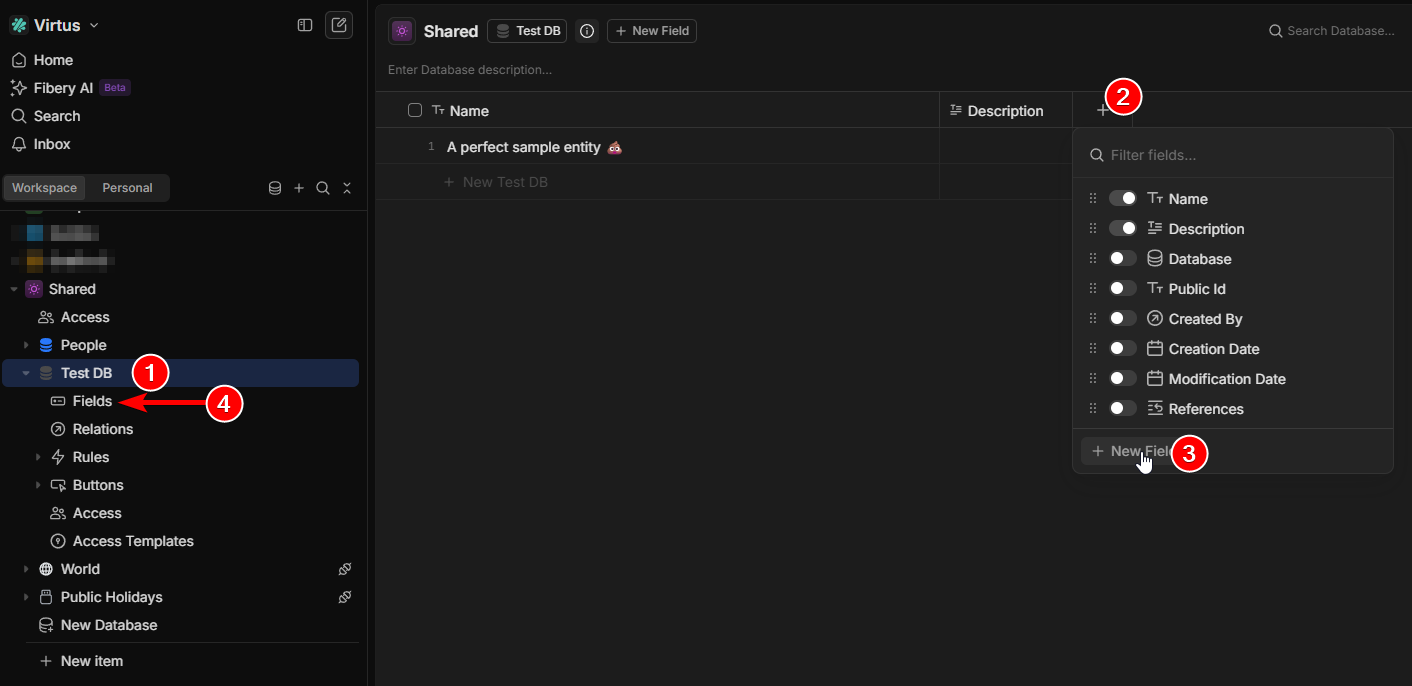
You can click on the Database (1) to access a similar-ish view after creating it.
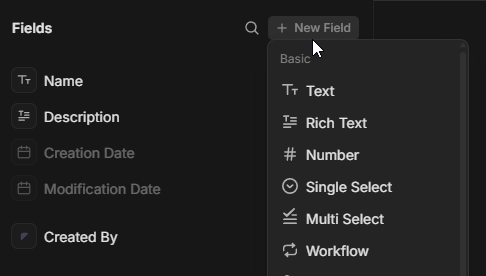
The popup (2) you see when you click on the “+” is now different; it suggests showing existing fields, but lets you add a new at the bottom (3). Once clicked, you see the same popup as in the video.
Optionally, you can also click on “Fields” in
(4) and add it from there.
There’s also multiple other ways too, but it’d be too much to cover them all.
If you don’t see the database, you can show/hide databases by hovering over the space:
Hi Haslien ,
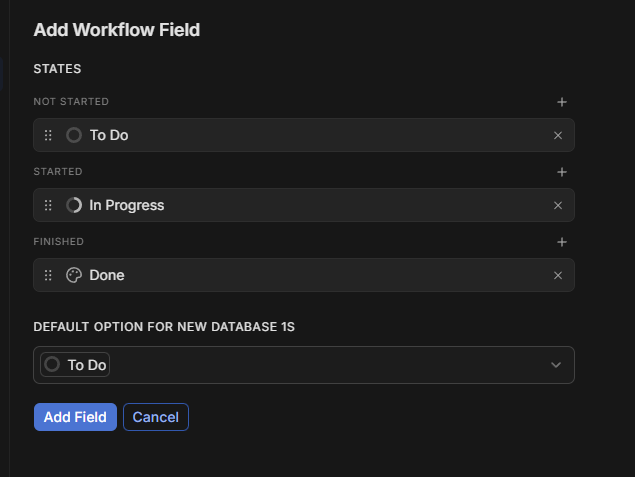
Thank for the help but it is not the same.
The video has no states such as Not Started , Started , Finished etc.
Here is the screenshot of what is in the video to make it clearer.
and what I see in my Fibery when I add a workflow field.
The state categories is an upgrade that has happened since the video was recorded.
New belongs to Not Started
Negotiating → Started
Paid & Lost both are Finished
Hi Helloitse ,
Got it. Thanks for the clarification.