January 15, 2026 / 👮 Validation rules, New Connector styles and options, “Periods” integration

:police_officer: Validation rules

Today we’re introducing new concept in Fibery — Validation Rules. Validation Rules in Fibery help keep your data accurate and consistent. Think of a validation rule as a bouncer at a club door :smiling_face_with_sunglasses:. Before any data change gets in, the bouncer checks: “Does this meet our standards?” If not, the change is blocked and the user gets a friendly explanation of what’s wrong.

A validation rule fires when its condition is true, and it blocks the action. So you’re essentially defining “what should NOT be allowed” rather than “what’s valid.” Condition is a formula, so you have the whole power of formulas to describe conditions.

For example, you can create validation rules like:

  • Planned End date should never be before Planned Start date.
  • Ensure Owner is assigned for In Progress Features.
  • Do not allow phone number that is not in specific format (for example, (123) 456-7890).
  • Do not allow sales probability below 0% or above 100%.

In near future we will allow:

  • Access previous values of fields (it will enable validation use cases for state transitions).
  • Access to a user who executes an action (it will enable validation use cases regarding user role or team).

:sweat_smile: Note that some complex formulas may not work, please report them to us and we will make them work.

Validation Rules are available in Pro & Enterprise plans. Check validation rules user guide to learn how they work in details. Please share your first impressions and useful cases!

Entity View: Quickly Show/Hide all fields

Now you can quickly show or hide all fields in entity view. It will help you create new entity views faster.

2026-01-15 09.14.23

Whiteboard: New Connector styles and options

We’ve added more arrow types and line styles to support more kinds of diagrams. You can now use line jumps and a double-line style with all connectors, and we’ve updated the connector behavior algorithm to work better with different line thicknesses.

Connectors also support custom colors and styles. When you select the connector tool, a new menu lets you choose the type, color, and style before you start drawing, so everything looks right from the start.

Dates: “Periods” integration

Sometimes a date field just doesn’t cut it. You want to be able to refer to a specific week, or month, or quarter, and you want these periods to be connected to each other, e.g. February 2026 is part of 2026-Q1.

With the Periods integration template, you can have a complete set of entities, representing periods of different types (granularity levels) and then make connections to them.

firefox_Wo8u8ewP9M

Check out the guide to understand how it works and how to configure it, and check out some of the use cases.

:butterfly: Improvements

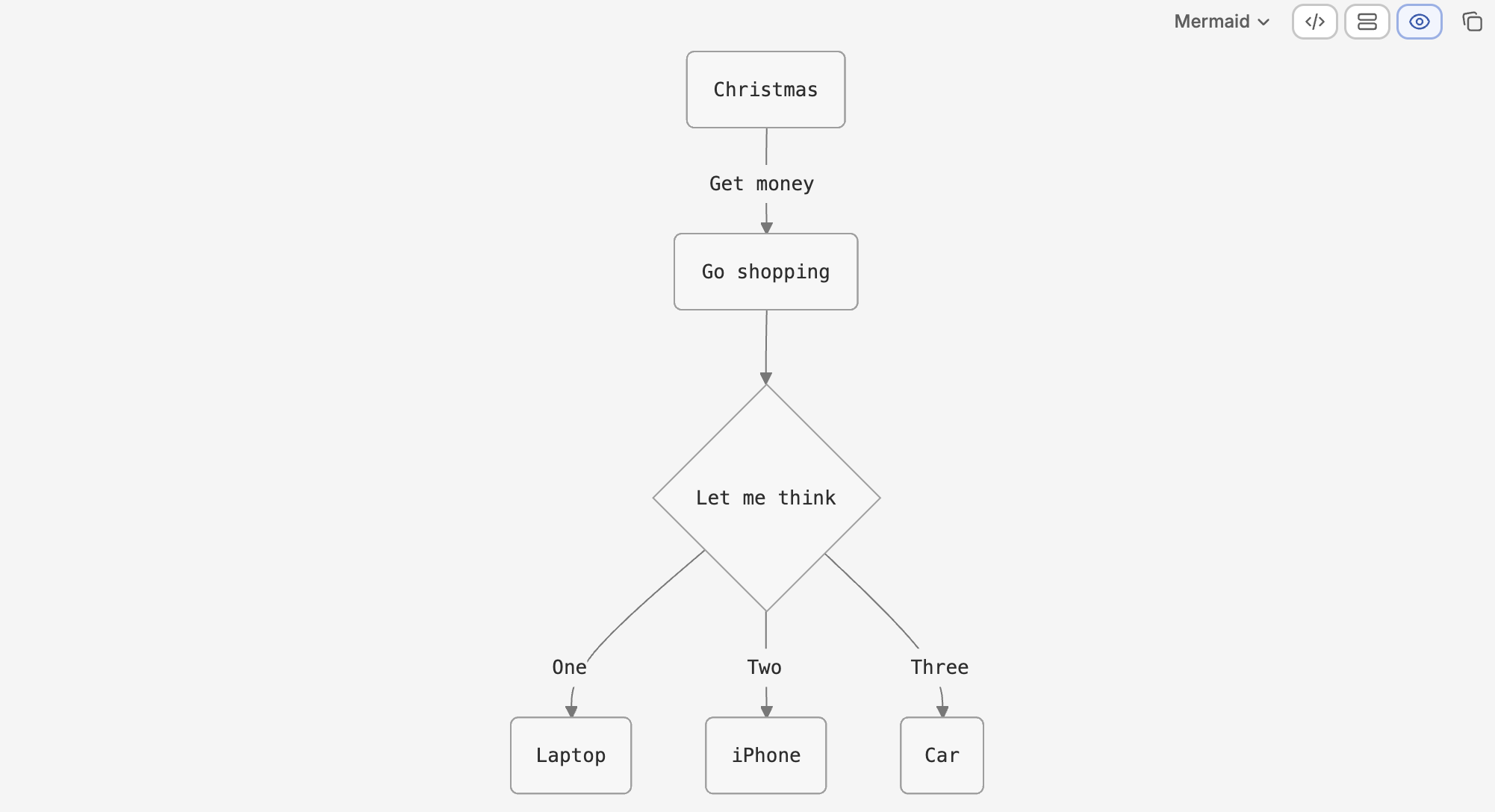
Mermaid

Mermaid diagrams styles were updated and now they look better.
Views

View settings now have proper empty states. If a view isn’t configured yet, users will see a helpful message explaining what’s going on.

Performance

Integrations performance improved in many places, including generic improvements and specific things for GitHub, Google Calendar, Readwise. CPU utilisation dropped significantly and there are no more 90% spikes.

:shrimp: Fixed Bugs

  • Documents / Rich Text:
    • Fixed a case when Command+Up/Down doesn’t work if the very last thing in the document is an image
    • Fixed a case when videos are failed to upload into rich-text field in specific case
  • Whiteboard:
    • Fix in a Section tool when Section Header background color renders incorrectly
    • Fix in a Connector Tool of Incorrect arrow thickness behavior
  • Views: Now it is possible to see hidden entities under ‘+ more’ items in read-only collection unit
  • Files: Fixed broken files in a field on Entity View when cmd+z (undo) is pressed after Delete all files
  • Permissions: Now a user can move or copy documents from Private Space to shared Space (Member / Editor access)
  • Reports: Now a user can create a report if relative custom date is used in source filter
  • AI Agent:
    • Fix in Build mode when Fibery AI creates text fields too often
    • Fix in Build mode when Fibery AI populates percents incorrectly
    • Fixed a case when mention links are not parsed correctly resulting in bare text/links
    • Callout Markdown is recognised now
    • Fibery AI no longer uses fake emojis in rich-text fields
    • Fibery AI no longer create broken self-relation hierarchical views
    • When AI agent runs out of steps, user is informed about the work done now
11 Likes

Damn! This makes the integration I made obsolete. I didn’t think about making all date types in the same database, but this actually makes things much faster to set up, no need to do the same thing in the week, month, and quarter set up, it all just works immediately. Good stuff!! (Plus now what I build with this can be made into a public template, which is always a plus). I have scheduled a video making KPIs using my integration, but I’ll use this one instead. Only thing that’s a bit funky is needing to add a “Day + 1” field any time you want to do auto-linking to days. Instead, maybe a “Date” field with just a single date value only present in Day types makes sense. But the user can also set this up themselves using formulas.

This integration would make this even more lovely: Custom shorthand for mentioning an entity from a specific database. Allowing a shortcut for specifically mentioning dates.

Lovely update as usual!

3 Likes

Yay! Not sure which part I love best. Validation rules is really
exciting. Periods is going to be very useful. Appreciate all the
improvements to Mermaid charts, Whiteboard, AI, and performance!

3 Likes

Validation Rules, and Whiteboards update - cool!

3 Likes

Validation rules is a great improvement! Thank you

1 Like

I THINK I found a bug? I didn’t see it mentioned here, but I noticed that the architect mode toggle was updated to a little button at the top-left and can be activated/deactivated by double-clicking shift….at least via the Windows app, when I try and scroll laterally via clicking Shift + scroll wheel, the action of holding the Shift key toggles the architect mode button on/off constantly, making everything all screwy.

oh yeah, I saw that. I assumed that meant “activate by double-clicking shift”, however it also activates for me by only clicking shift once (and holding it while I scroll the mouse wheel)

It’s not a bug, it’s a feature :sweat_smile: (sorry about the delete and double post … )

oh yeah, I saw that. I assumed that meant “activate by double-clicking shift”, however it also activates for me by only clicking shift once (and holding it while I scroll the mouse wheel)

1 Like

Indeed! Just holding the shift key triggers it :collision:

Arghh. If that is intentional, then that feels silly as then any action that requires holding down the shift key is basically a no go, right?

1 Like

It’s a bug, we will fix it. We may also reconsider double shift shortcut, since now it is causing problems :slight_smile: So far you can disable this experimental feature.

2 Likes

I like the icon! Double-shift isn’t a problem for me, although
shift-hold is.

1 Like

Hey! Made some adjustments — please check if you can still reproduce it by holding shift

Validation Rules look awesome. I love this direction for Fibery. A few early observations and opportunities:


Field-Level Permissions
Because validation rules can reference the User, they appear to enable a workaround for field-level permissions (e.g., blocking edits for certain users). Not sure if this is intentional, but it’s a powerful capability.


UI Enhancement to Fields
Validation rules (and other rules) should be visible in the settings of the fields they reference. This would improve discoverability and reduce the risk of breaking logic when editing fields. Show and Manage Rules in Field Settings (UI Enhancement)


Conditionally Required Fields
Validation rules move Fibery closer to conditionally required fields but stop short. Conditional Required Fields - Workflow validation

Ideally there would be a way to prompt a user to correct the failed validation, the value being that the system now encourages users to correct the data entry instead of just blocking changes.

Use case:

  • A user updates a field (e.g., Opportunity → State = “Lost”).
  • Validation fails because another field required for that state is empty.
  • In addition or instead of the Validation Error Message, Fibery prompts the user to fix the missing field or cancel the change (reverting the original update).
5 Likes

Fixed it for me. The keyboard shortcut is really nice btw, as it’s much
faster to hit that then scroll all the way across the screen to make a
quick tweak (inevitably you’re on the far other side of the screen when
you want to make a change).

1 Like

Theoretically this is true, but note that management of such permissions will be extremely painful. Also it only prevent changes, not views.

This can be nice, but not sure how hard it is to do. We will check

We have such feature in the backlog, but I afraid we will not go for it right now, since it is not so easy to do. In Required Fields it was done, so theoretically we can try to exploit similar mechanism. Also we’ll check

3 Likes

Trying to wrap my head around the Periods integration as I’ve already done a crazy amount of work over the years to try do much of the same stuff it’s doing.

  • Why is it an “integration” and what data source is it actually integrating with behind the scenes?
  • Any reason why the name formulas can’t be edited? I’d prefer quarters to be “Q# YYYY” to match the “MM YYYY” format instead of “YYYY-Q#”

Also, there’s some additional scenarios that are missing that I’m not sure how I could even do since this is an integration with some special auto-linking going on:

  • I need to have “Year Type” field that has “Calendar” or “Fiscal” options. Like, Jan 2026 could be in both the 2026 “Calendar” year” but also the 2025 “Fiscal” Year as well. And each of our clients may have a different fiscal year, which adds complexity (or maybe impossibility?) as well.
  • Similarly, I also need a “Week of the Month” field that calculates the relative week (1-5) of the month a day falls in. So a day could be in 2 different years For example for Feb 10, 2026 would linked to the Week with the Number = 7, but also the “Week of the Month” = 3.

Because (some of) the values change over time (the Relative field and the semantics) and the entities to sync can change over time (if you don’t choose a start year). The latter can be useful as it will save you from having to generate new data every year.

Because integrations provide only read-only values.

If you don’t need the afore-mentioned functionality, then you can sync once and then disconnect, and it will behave like a normal db.

Even if you don’t disconnect, you can augment the db with whatever fields you like, including a ‘Type’ field, but indeed, the integration won’t be super useful if your definition of a Year is not the ISO definition of a year (and we weren’t aiming to address all possible use cases - tax years, fiscal years, etc.)

You can add the formula described here:

(but the numbers would only really be meaningful for entities of the Day type)

1 Like